
Speech to text you can use on any site.
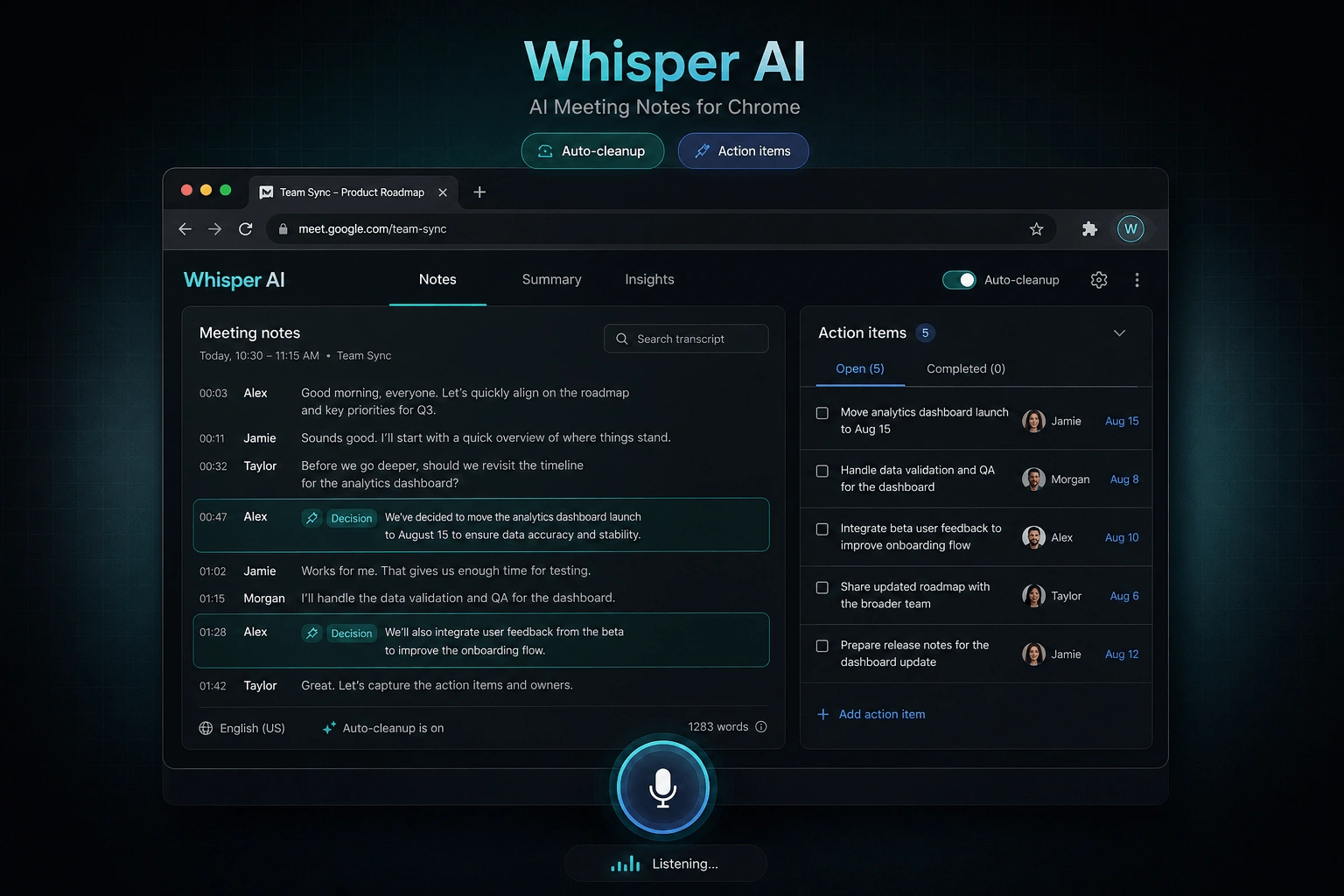
Whisper AI is a Chrome extension for AI voice typing. Start dictating anywhere, clean up messy transcripts, and switch modes for translation, email drafting, or grammar fixes.
Voice to text that fits your workflow
Built for creators, operators, and anyone who writes a lot — with speech-to-text quality you can trust.
AI voice typing, anywhere
Dictate into focused inputs across your browser. No copy-paste loops.
Smart cleanup
Punctuation, disfluency removal, and obvious ASR error fixes — without changing meaning.
25+ languages
Switch languages naturally. Great for bilingual work and international teams.
Hotkeys + hold-to-talk
Toggle recording with a shortcut or press-and-hold to talk.
Modes that match your intent
Transcribe, translate, draft emails, or fix grammar with one click.
Site controls
Enable or disable by site, so your workflow stays predictable.
How to use Whisper AI
Set it up in minutes. Then type by voice on the sites you already use.
Install
Add the extension to Chrome and pin it for quick access.
Connect
Sign in once. Your settings sync across your devices.
Talk anywhere
Focus an input, then click the floating mic or use your hotkey.
Press the mic, speak, then stop.
Use cases
From audio to text conversion to daily AI voice typing — pick a mode and keep moving.
Privacy & data security
We process audio only to generate your transcript. We do not sell your data or use it to train models.
Minimal processing
Audio is sent only for transcription and optional cleanup, then returned as text.
Account-safe connection
The extension links to your account using short-lived authorization codes and revocable API keys.
No prompt leakage
Modes are enforced on the server, so your intent stays consistent without exposing private prompts in the client.
FAQ
Quick answers about voice to text, transcripts, and AI voice typing.
Is this a speech to text website or a Chrome extension?
Both. The primary experience is the Chrome extension (voice typing on any site). This homepage also includes a limited live demo so you can try voice to text before installing.
Is Whisper AI free to try?
Yes. Sign in with Google and you get 100 free credits, which is about 17 minutes of transcription.
What languages are supported?
Whisper AI supports 25+ languages for transcription and voice notes. For bilingual workflows, you can switch modes and keep your output consistent.
How do hotkeys work?
You can start and stop dictation with a shortcut (default Ctrl + Shift + L). You can also use hold-to-talk: keep the shortcut pressed while speaking, release to stop.
Can I disable it on certain sites?
Yes. You can enable or disable Whisper AI by site so the floating mic only appears where you want it.
Does it change what I said?
The cleanup step fixes obvious speech-to-text errors, removes filler, and adds punctuation — without changing meaning or adding new information.
Do you store my audio?
Audio is processed only to generate your transcript. We do not sell your data or use it to train models.
Start typing by voice today
Install the extension and use speech to text on the sites you already work in. Turn voice notes into clear transcripts — fast.